
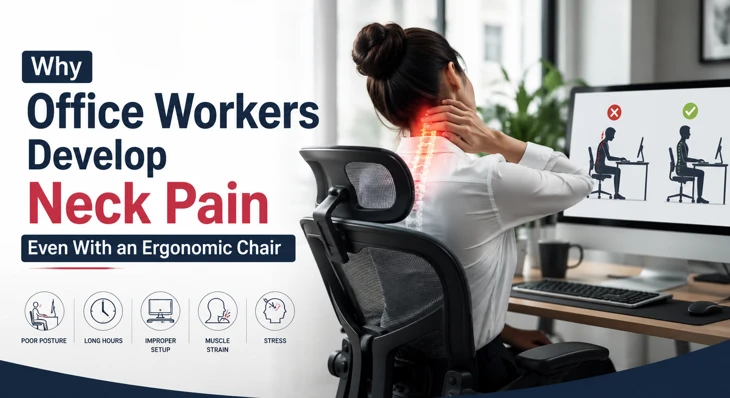
- The Short Answer: Why Neck Pain Happens Despite an Ergonomic Chair
- Why Ergonomic Chairs Do Not Fix Neck Pain by Themselves
- Forward Head Posture Is Often the Real Problem
- Monitor Height Causing Neck Pain
- Poor Workstation Setup Causing Neck Pain
- Neck Strain From Prolonged Computer Use
- Sitting All Day Places Continuous Stress on the Spine
- Ergonomic Mistakes That Cause Neck Pain
- Neck and Shoulder Pain From Desk Jobs Often Occur Together
- Stress Can Increase Neck Pain Even With Perfect Ergonomics
- How to Prevent Neck Pain at Work
- Best Stretches for Office Worker Neck Pain
- When Neck Pain May Require Medical Evaluation
- Building a Neck-Friendly Workspace
Why Office Workers Develop Neck Pain Even With an Ergonomic Chair Many office workers invest in an ergonomic chair expecting it to eliminate discomfort. Yet, a surprising number still experience persistent neck stiffness, soreness, and tension headaches. If you have ever wondered why office workers develop neck pain even with an ergonomic chair, the answer is simple: a chair is only one part of the workstation equation. Neck pain rarely comes from a single source. It often develops from a combination of poor workstation setup, prolonged sitting, screen positioning, repetitive movements, muscle weakness, and daily habits. Even the most expensive ergonomic chair cannot fully protect your neck if other factors are contributing to strain. Understanding the real causes of office-related neck pain can help you make meaningful changes that reduce discomfort and improve long-term spinal health.
The Short Answer: Why Neck Pain Happens Despite an Ergonomic Chair
An ergonomic chair supports your body, but it cannot:
- Correct monitor placement
- Prevent prolonged sitting
- Stop forward head posture
- Fix muscle imbalances
- Eliminate stress-related tension
- Ensure proper workstation ergonomics
Many people experience neck pain despite using an ergonomic chair because they focus solely on the chair and overlook other important elements of their work environment.
Why Ergonomic Chairs Do Not Fix Neck Pain by Themselves
One of the biggest misconceptions in workplace ergonomics is the belief that a good chair automatically promotes good posture. Even the best chair cannot help if you:
- Lean forward toward your screen
- Look down at a laptop all day
- Sit for hours without movement
- Position your keyboard incorrectly
- Frequently use a phone between your shoulder and ear
This is one reason why ergonomic chairs do not fix neck pain for many office employees. A chair provides support, but your daily habits determine how much stress your neck experiences.
Forward Head Posture Is Often the Real Problem
Among the most common causes of neck pain in office workers is forward head posture. Forward head posture occurs when the head moves in front of the shoulders rather than remaining aligned over the spine.
What Happens When the Head Moves Forward?
The average human head weighs approximately 10 to 12 pounds (4.5 to 5.5 kg). When your head shifts forward:
- Neck muscles work harder
- Upper back muscles become overloaded
- Cervical spine joints experience greater stress
- Shoulder tension increases
For every inch the head moves forward, the load on the neck structures increases significantly. This explains why many people develop neck pain from desk work despite good posture in their lower back or seating position.
Signs of Forward Head Posture
- Chin poking forward
- Rounded shoulders
- Upper back tightness
- Frequent headaches
- Neck stiffness at the end of the day
Forward head posture among office workers is extremely common because computer screens naturally encourage forward leaning.
Monitor Height Causing Neck Pain
Your monitor position has a major influence on neck health. A poorly positioned screen can create strain regardless of how ergonomic your chair is.
Ideal Monitor Placement
The monitor should be:
- Directly in front of you
- About an arm's length away
- Positioned so that the top of the screen is at or slightly below eye level
When the monitor height is incorrect:
- You may constantly look down
- Your neck remains flexed for hours
- Muscle fatigue develops
Monitor height causing neck pain is especially common among laptop users who work without an external monitor.
Common Screen Position Mistakes
- The laptop is placed too low
- Multiple monitors at different heights
- Screen off-center
- Frequent downward viewing angles
Small adjustments can dramatically reduce neck stress.
Poor Workstation Setup Causing Neck Pain
A chair is only one component of a workstation. Poor workstation setup, causing neck pain, often involves several factors working together.
Check These Workstation Elements
Keyboard Position
Your keyboard should allow your elbows to remain close to your body at approximately 90 degrees. If the keyboard is too far away:
- You reach forward
- Shoulders elevate
- Neck muscles tighten
Mouse Placement
The mouse should be close to the keyboard. Constant reaching creates tension through the shoulder and neck region.
Desk Height
A desk that is too high forces shoulder elevation, increasing strain on neck muscles.
Document Placement
Looking down repeatedly at papers can contribute to chronic neck discomfort. Using a document holder at screen height can help.
Neck Strain From Prolonged Computer Use
Even perfect posture becomes problematic when maintained too long. Neck strain from prolonged computer use often develops because muscles remain in static positions for extended periods.
Why Static Postures Cause Pain
When muscles stay contracted:
- Blood circulation decreases
- Oxygen delivery drops
- Fatigue accumulates
- Trigger points develop
This explains why symptoms often worsen later in the workday. Computer work and chronic neck pain frequently occur not because posture is terrible, but because movement is lacking.
Sitting All Day Places Continuous Stress on the Spine
Many employees spend 8 to 10 hours seated daily. Neck pain from sitting at a desk all day develops because prolonged sitting affects the entire spine. When the lower back slouches:
- The upper back rounds
- The shoulders roll forward
- The neck compensates
This chain reaction creates excessive cervical strain.
Movement Matters More Than Perfect Sitting
Research consistently shows that changing positions regularly is healthier than attempting to maintain one "perfect" posture all day. Try to:
- Stand every 30–60 minutes
- Walk briefly during breaks
- Stretch between tasks
- Alternate positions throughout the day
Ergonomic Mistakes That Cause Neck Pain
Many workers unknowingly develop neck strain, believing they are sitting correctly.
Common Ergonomic Mistakes
Using the Headrest Incorrectly
Headrests are designed for resting, not constant support while working. Leaning backward excessively can force awkward neck angles.
Sitting Too Far Forward
Many people sit on the edge of their chairs, reducing lumbar support.
Armrests Positioned Incorrectly
Armrests that are too high elevate the shoulders. Armrests that are too low increase upper-body strain.
Reclining Too Much
Excessive recline often causes workers to crane their necks forward toward the screen. These ergonomic mistakes that cause neck pain are common even in modern offices.
Neck and Shoulder Pain From Desk Jobs Often Occur Together
The neck and shoulders function as a connected system. When one area becomes overloaded, the other frequently develops symptoms.
Why Shoulder Tension Affects the Neck
Tight muscles such as:
- Upper trapezius
- Levator scapulae
- Scalene muscles
attach directly to the cervical spine. When these muscles become overworked, they can contribute to:
- Neck stiffness
- Reduced mobility
- Headaches
- Pain when turning the head
This is why neck and shoulder pain from desk jobs often appear simultaneously.
Stress Can Increase Neck Pain Even With Perfect Ergonomics
Many people overlook the role of mental stress. Workplace pressure often causes unconscious muscle tension.
Common Stress Responses
Employees may:
- Clench their jaw
- Raise their shoulders
- Tighten neck muscles
- Hold tension throughout the day
Over time, this contributes significantly to office worker neck pain causes. If your workstation is properly adjusted but symptoms persist, stress management may be part of the solution.
How to Prevent Neck Pain at Work
Reducing neck discomfort usually requires multiple changes rather than a single fix.
Daily Prevention Checklist
Optimize Screen Position
- Top of the monitor at eye level
- Screen centered directly ahead
- Appropriate viewing distance
Support Natural Posture
- Keep ears aligned with shoulders
- Avoid leaning toward the screen
- Use lumbar support correctly
Move Frequently
- Stand every 30 to 60 minutes
- Walk during calls
- Stretch between tasks
Strengthen Supporting Muscles
Focus on:
- Deep neck flexors
- Upper back muscles
- Shoulder stabilizers
- Core muscles
These habits form the foundation of office ergonomics and neck pain prevention.
Best Stretches for Office Worker Neck Pain
Regular movement helps reduce muscle tension accumulated during desk work.
Chin Tucks
Purpose:
- Correct forward head posture
- Strengthen deep neck muscles
How to perform:
- Sit upright.
- Pull your chin straight backward.
- Hold for 5 seconds.
- Repeat 10 times.
Upper Trapezius Stretch
Purpose:
- Reduce side-neck tension
How to perform:
- Tilt your head toward one shoulder.
- Hold 20 to 30 seconds.
- Repeat on both sides.
Levator Scapulae Stretch
Purpose:
- Relieve stiffness behind the neck
How to perform:
- Turn your head 45 degrees.
- Look downward.
- Hold gently for 20 to 30 seconds.
Shoulder Blade Squeezes
Purpose:
- Improve upper-back posture
How to perform:
- Pull shoulder blades together.
- Hold for 5 seconds.
- Repeat 10 to 15 times.
These are among the best stretches for office workers' neck pain because they target the muscles most affected by desk work.
When Neck Pain May Require Medical Evaluation
While most workplace neck discomfort improves with ergonomic adjustments and movement, some symptoms warrant professional assessment. Seek medical attention if you experience:
- Pain lasting several weeks
- Numbness in the arms
- Tingling in the hands
- Significant weakness
- Severe headaches
- Pain following injury
These symptoms may indicate underlying conditions beyond routine muscular strain.
Building a Neck-Friendly Workspace
If you still have neck pain with an ergonomic chair, focus on the entire work environment rather than the chair alone. A healthy workstation should include:
- Proper monitor height
- Correct desk setup
- Appropriate keyboard placement
- Frequent movement breaks
- Good posture habits
- Stress management strategies
- Regular stretching
The reality is that neck pain, despite using an ergonomic chair, is extremely common because workplace discomfort is rarely caused by the chair itself. Understanding why office workers develop neck pain even with an ergonomic chair allows you to address the true causes. By improving workstation setup, avoiding prolonged static positions, correcting forward head posture, and incorporating movement throughout the day, most office workers can significantly reduce neck pain and maintain better long-term spinal health.